
Legacy App Automation
Automate the systems that have no API, and retire the bots that keep breaking
- Any web app, no API needed
- Deploys to AWS and Google Cloud
- SOC 2 Type II attested
Details
- Built by
- Cenna
- Department
- Operations
- App type
- Modernize legacy
- Deploys to
 AWS
AWS Google CloudAzure coming soon
- Source code
- Included
- Sign-in
- Your SSO
Overview
A lot of enterprise work still lives in applications nothing can connect to: old ERPs, claims systems, supplier and government portals. Cenna agents use them the way a person does, through the screen. They adapt when a page changes, run in browser sessions in your cloud, and record every step, so you can automate these systems and move off RPA bots that break on every UI change.
- No API neededIf a person can use a system on screen, the agent can too, without a connector or a replacement for a system that works.
- Adapts when the screen changesA moved button or a renamed field doesn't stop the run. The agent finds controls the way a person does.
- Scales without bot machinesBrowser sessions run in your cloud, in parallel when there's work and scaled to zero when there isn't.
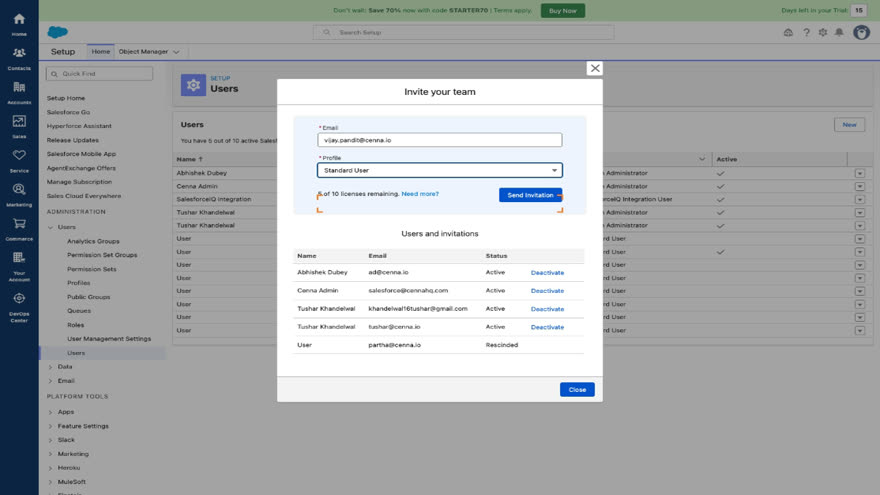
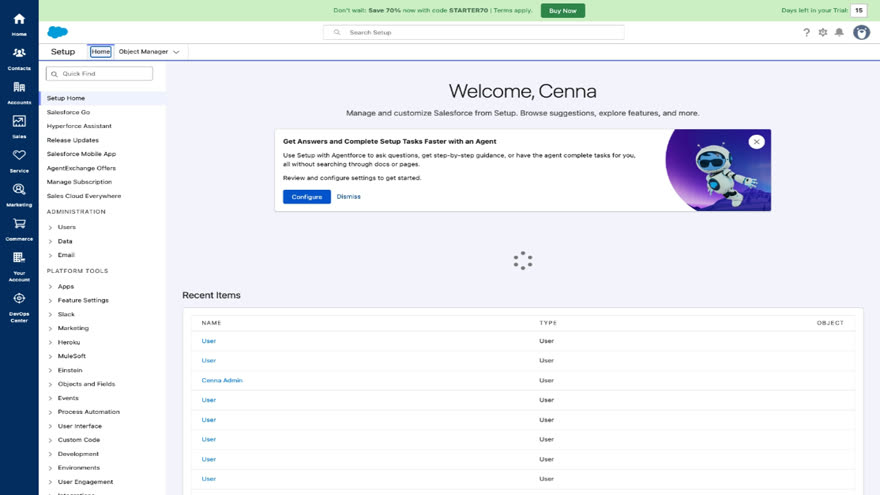
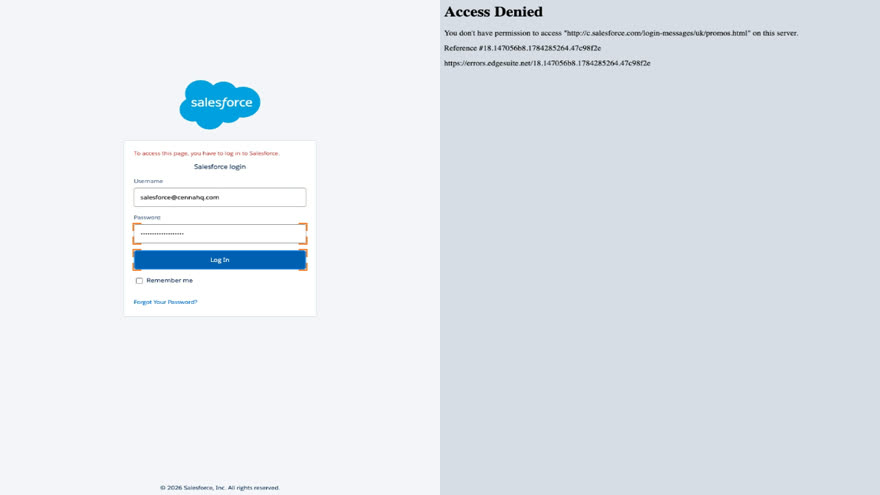
Watch an agent provision a Salesforce user
Recorded from a real run, unedited. The agent signs in with its own scoped credential, navigates Setup by reading the screen, and sends the invitation.
RPA bots compared with Cenna agents
| Traditional RPA | Cenna agents | |
|---|---|---|
| What it follows | Recorded clicks and pixel selectors | The task, reading the screen as a person would |
| When the UI changes | The bot breaks; a developer re-records it | The agent adapts and keeps going |
| Where it runs | Dedicated bot machines and VDI seats | Browser sessions in your own cloud |
| Scaling up | Buy, license, and patch more machines | Sessions run in parallel, then scale to zero |
| Exceptions | Fall back to a human queue | It stops and asks when unsure |
| Audit | Orchestrator logs, if configured | Every run recorded with screenshots and cost |
Migrate one process at a time
Keep the RPA bots that still work and move the processes that keep breaking.
- Pick the worst botStart with the one that pages someone every month, where the payback comes fastest.
- Show the agent the taskDescribe the job in plain language and walk it through once. You don't need to re-map the process.
- Run them side by sideThe agent runs in staging against the same work until its runs are clean, and you compare the records from both.
- Retire the botSwitch the process over, free the machine and the license, and move to the next one.
Use cases
Capabilities
How it works
The agent uses the same screens your team uses and records every step.
- Show it the task onceDescribe the job in plain language, such as "enter approved invoices from the queue into the supplier portal," and walk it through once.
- It signs in as itselfThe agent gets its own scoped credential, granted and revocable by you. It never borrows a person's login.
- It works the screenIt reads the page, fills the fields, and clicks the buttons, checking that each step landed before taking the next.
- Every run is recordedEach step is captured with a screenshot, so any run can be reviewed end to end. When the agent is unsure, it stops and asks.
Security and governance
Every Cenna app ships with the same security controls.
- Your deployment modelRun fully in your AWS or Google Cloud account, keep your data in your cloud while Cenna runs the app, or use a dedicated single-tenant instance.
- Your identity providerEvery app signs in through your SSO, with role-based permissions per app.
- Scoped integrationsEach connection declares exactly what it may do. Nothing runs outside that grant, and revoking it takes effect immediately.
- Approved models onlyEach app has its own approved-model list. A call to anything off it is refused and logged.
- Every run recordedEvery agent action is traced with its steps and its cost, so any decision can be reviewed.
- Budgets and hard capsSpend is metered by app, team, task, and model, with caps that stop runaway usage.
Controls for screen automation
- Approval on the steps you choosePut a human sign-off in front of any step. For example, nothing submits to a government portal until someone approves it.
- Its own scoped credentialThe agent signs in as itself, with access you granted and can revoke in one click.
- Recorded and pricedEvery run is traced with screenshots and its cost, in your account, with the same governance as every Cenna app.
SOC 2 Type II attestedView Trust Center →
Frequently asked questions
What happens when the screen changes?
The agent reads the screen the way a person does. It looks for "the Submit button," not pixel position 840,512. A moved button or a reworded label doesn't break it. If a page changes so much that the task is unclear, it stops and asks instead of guessing.
How does it sign in? What about MFA?
With its own credential, scoped to what you granted, stored in your account. SSO and MFA flows are handled in the session, and you can revoke access at any time.
What if it makes a mistake?
Every step is checked before the next one, anything you flag needs approval before it submits, and each run is recorded with screenshots, so a mistake is visible, attributable, and stoppable, unlike a person's typo at 4:45pm on a Friday.
Is this allowed on third-party portals?
You use it with your own accounts under your own agreements, the same as an employee using the portal. You decide where it runs; approvals and scoped credentials keep it inside those lines.
Do we have to rip out our RPA platform first?
No. Migration is per process. Bots that behave keep running, and the ones that break move to agents first.
What happens to our bot machines?
You stop needing them. Agents run in browser sessions in your own cloud account, so there's nothing to license per machine, patch, or leave running overnight.
Our processes are documented as RPA flows. Is that wasted?
No. Those flows describe the task well. They tell the agent what the job is, and the agent works out how to do it on screen, which is the part that kept breaking.
Can it handle attended automation too?
Yes. An agent can run a task on demand for a person, pause for their input or approval mid-run, and hand back the result, without a bot installed on their laptop.
Agentic ITSM
Triage every ticket and close routine requests like resets and access end to end, so your service desk only sees the hard ones.Works with Okta, Jira, SlackDeploy Your Own App
Bring any containerized app and run it in your own cloud with the same identity, deployment, and spend controls as every Cenna app.Runs on EKS or GKECustomer Support
Research each case across your systems, draft the reply, and take the follow-up action.Works with Zendesk, Stripe, Slack